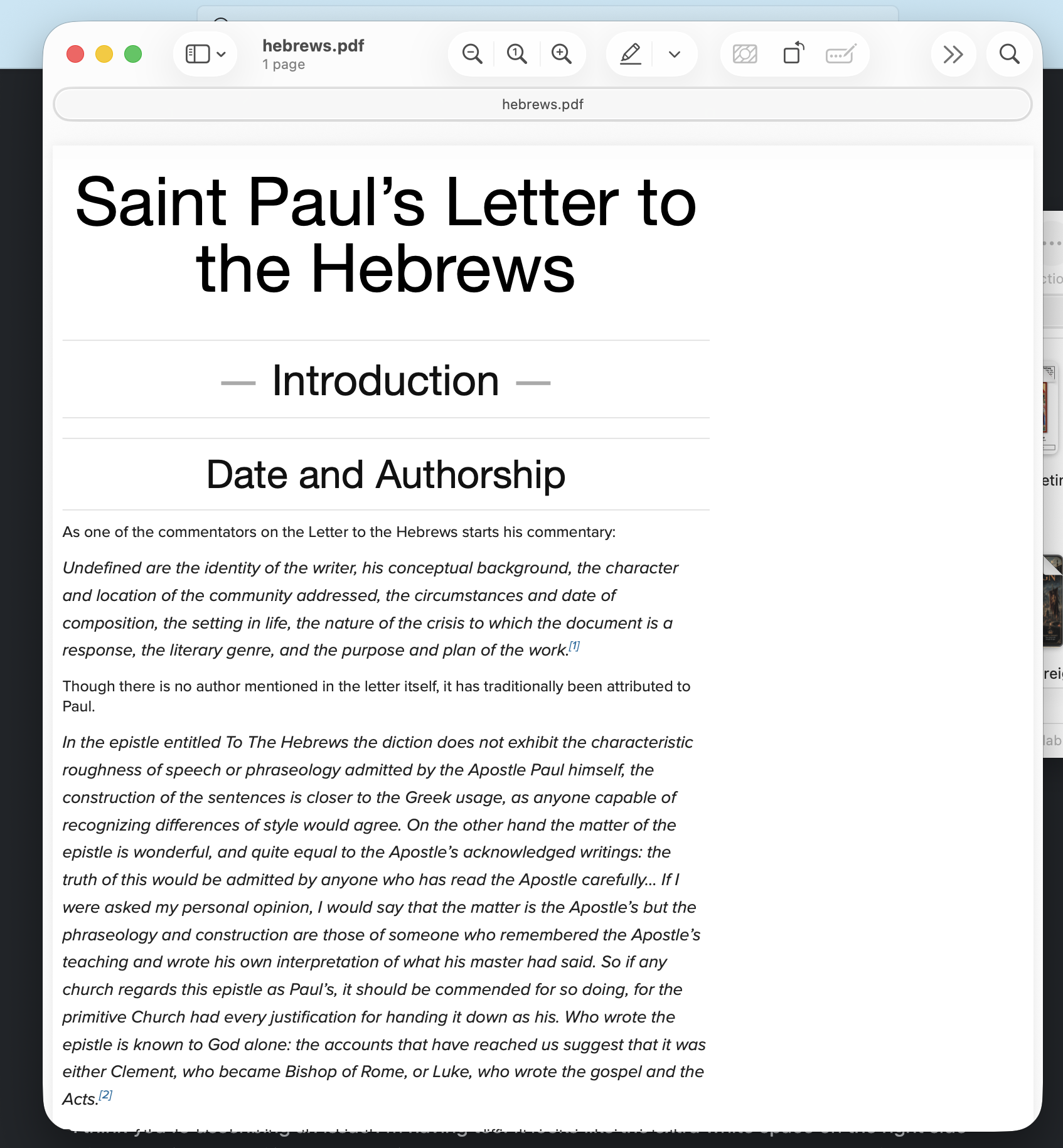
Sorry to give you an AI summary thing. Not sure if that is helpful I have examples of documents and the output so that is helpful. Basically the continous PDF seems to not work as it used to. It seems to not follow the assigned style and if the document is too long it makes a page split. The following is the information compiled by my AI.
I'm going to see if I can install Apex and have that export it maybe so I can post my class assignment (prefer the continunious because otherwise page breaks struggle some with the long tables I have and pref to have it be a long document they can read almost like a webpage.
Marked 3.1.23 — Continuous PDF export paginates and ignores continuousPDFOutputWidth
Summary
Since updating to Marked 3.1.23 (build 1208), Export › Continuous PDF no longer produces a single continuous page. It breaks documents across multiple pages, and the page width no longer matches the continuousPDFOutputWidth preference. The same source documents exported correctly from an earlier version in January 2026.
The regression has two parts, which may or may not share a cause:
- Page width ignores the preference.
continuousPDFOutputWidthis set to 800. Exports come out 546 pt wide (default prefs) or 705 pt wide (withcontinuousPDFUseCurrentWindow = 1). Never 800. - Computed page height is roughly a third to a half of what the content needs, so content spills onto a second page of identical height instead of producing one tall page.
Environment
- Marked 3.1.23 (build 1208), Setapp distribution, bundle id
com.brettterpstra.marked-setapp - macOS 26.6, Apple Silicon (arm64)
- Preview style: Swiss
continuousPDFOutputWidth = 800continuousPDFUseCurrentWindow = 0(default)
The clearest evidence: same document, two versions of Marked
Identical assignment handout, same markdown structure (text plus a five-column rubric table). Exported January 29 2026 from the previous version, and again now from 3.1.23.
| Document | Exported | Pages | Page box |
|---|---|---|---|
| A-03 Fact Sheet | Jan 2026 | 1 | 800 × 2966 |
| A-03 Fact Sheet | 3.1.23 | 2 | 546 × 1268 |
| A-04 Policy Brief | Jan 2026 | 1 | 800 × 3950 |
| A-04 Policy Brief | 3.1.23 | 1 | 705 × 1868 |
Two things to note. The old exports are exactly 800 pt wide, matching the preference. And A-04 shows the height problem cleanly even where pagination doesn't trigger: the same content that needed 3950 pt now reports 1868 pt — less than half. Since the new export is also narrower (705 vs 800), the content should reflow taller, not shorter, so the undercount is worse than the raw numbers suggest.
Minimal reproduction (no tables involved)
Tables are not required. A plain markdown file of 18 identical Lorem ipsum paragraphs, no tables, no images, splits into two pages:
4-SOURCE-minimal-repro-18-paragraphs.md→ 2 pages, 546 × 924 each
Sweeping the paragraph count with default prefs, content height grows linearly at about 46 pt per paragraph, and the split appears between:
- 16 paragraphs → 1 page, 546 × 832
- 18 paragraphs → 2 pages, 546 × 924 each
Secondary issue: page box dimensions appear transposed on short documents
For documents whose content is shorter than 546 pt, the MediaBox comes out with width and height swapped. Measured with PDFKit, default prefs:
| Paragraphs | Page box |
|---|---|
| 4 | 280 × 546 |
| 6 | 372 × 546 |
| 8 | 464 × 546 |
| 10 | 546 × 556 |
| 12 | 546 × 648 |
| 16 | 546 × 832 |
The orientation flips exactly as content height crosses 546 (the width). This looks like the two dimensions being sorted smallest-first rather than assigned to width and height.
Effect of continuousPDFUseCurrentWindow
Setting continuousPDFUseCurrentWindow = 1 changes behavior but does not fix it:
- Fixes: the export finally honors the selected preview style. At the default of 0, selecting Swiss in the preview window has no effect on the exported PDF — the offscreen renderer appears not to consult the window's style. Width goes from 546 to 705.
- Does not fix: pagination. Of five handouts, two came out single-page and three still split.
- New problem: with the setting on, the export sizes from the frontmost window rather than the document targeted via AppleScript. Exporting three different documents without raising each window first produced three PDFs with identical 705 × 1366 geometry — the wrong document's dimensions.
There is also no UI control for this preference that I could find; it is only reachable via defaults write.
Steps to reproduce
- Set
continuousPDFOutputWidthto 800. - Open a markdown file of ~18 or more normal-length paragraphs.
- File › Export › Continuous PDF.
- Observe: multiple pages, and page width is 546 pt rather than 800 pt.
Attachments
In ~/Downloads/Marked Continuous PDF Bug/:
- 1-BROKEN-A-03-fact-sheet-Marked-3.1.23.pdf — current export, 2 pages, 705 × 968 (with useCurrentWindow = 1)
- 1-SOURCE-a-03-fact-sheet.md — its markdown source
- 2-WORKING-A-03-fact-sheet-exported-Jan-2026.pdf — same document from the earlier version, 1 page, 800 × 2966
- 2-SOURCE-a-03-fact-sheet-Jan-2026.md — the markdown that produced it
- 3-BROKEN-A-04-policy-brief-Marked-3.1.23.pdf — 1 page but 705 × 1868
- 3-WORKING-A-04-policy-brief-exported-Jan-2026.pdf — 1 page, 800 × 3950
- 4-SOURCE-minimal-repro-18-paragraphs.md — minimal repro source, no tables
- 4-BROKEN-minimal-repro-18-paragraphs-DEFAULT-PREFS.pdf — 2 pages, 546 × 924
- 5-BROKEN-A-03-fact-sheet-DEFAULT-PREFS.pdf — 2 pages, 546 × 1268
The two DEFAULT-PREFS files were exported with continuousPDFUseCurrentWindow at its default of 0, so they reflect an out-of-the-box configuration.
How the measurements were taken
Page counts and MediaBox dimensions read programmatically via PDFKit (PDFDocument → boundsForBox(kPDFDisplayBoxMediaBox)) rather than by eye, so the numbers are the actual page geometry. Exports were driven through AppleScript (tell document 1 to export continuous pdf to POSIX file …), which produces output identical to a manual File › Export — a manual export and a scripted export of the same document came out the same page geometry and the same byte length, differing only in PDF metadata.
Possibly related
The application-level scripting commands convert_to, get_available_formats, and get_available_profiles are declared in the scripting definition but return -1708 (event not handled) for every invocation — AppleScript terminology, bundle id, JXA, and raw Apple event codes alike. The document-level export … commands work fine. close on a document also returns -1708, so scripted batches accumulate open preview windows with no way to close them short of close_all.