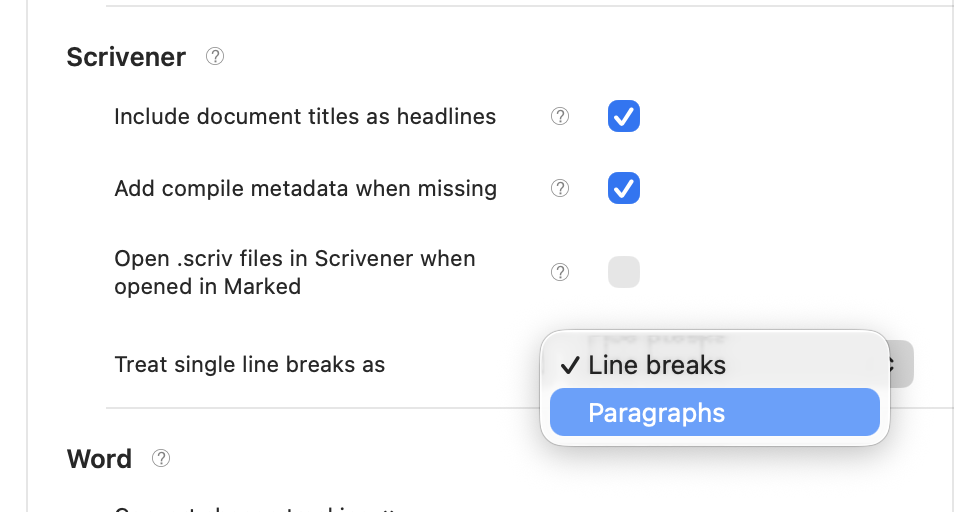
Hi, it looks like there might be some issues with Paragraph breaks with Scrivener input. I first noticed when trying to get nested lists to render, but now I think it's actually the paragaphs that are the problem.
Here's an example from Scrivener:
First paragraph

Second paragraph

1. Item 1
2. Item 2
    - Nested 1
    - Nested 2
If I preview the Scrivener project in Marked, the first two paragraphs get combined (missing an extra set of tags). Also for each of the list items, unexpected paragraph tags are inserted. Notice also that the outer ordered list is detected, but the nested list is not:
<p>First paragraph Second paragraph</p>
<ol type="1">
<li><p>Item 1</p></li>
<li><p>Item 2</p></li>
</ol>
<p>        - Nested 1</p>
<p>        - Nested 2</p>
Using a plain Markdown file, I get the expected output in Marked, however for paragraph tags, and the nested list works:
<p>First paragraph</p>
<p>Second paragraph</p>
<ol type="1">
<li>Item 1</li>
<li>Item 2
<ul>
<li>Nested 1</li>
<li>Nested 2</li>
</ul></li>
</ol>
I've tried it with a few different processors, but with the same results.
I've also tried toggling Retain line breaks and paragraphs, but that only toggles there being a <br />` between the first two paragraphs.
I'm using Marked 3.1.21 (1205) and Scrivener 3.2.5.