Images not loading

Viewed 20

Hi Brett,

I posted a question yesterday about continuous crashes, but it turned out my ABM license for Marked 2 hadn’t been carried over to my new laptop, so the app wasn’t updating and I was still on an older version. After fixing the license issue and updating to the latest version, the crashes stopped, so I deleted my question.

My other issue still persists though. I’m editing a local .md file, and images won’t load even though the path is correct. The web inspector shows an “operation not permitted” error.
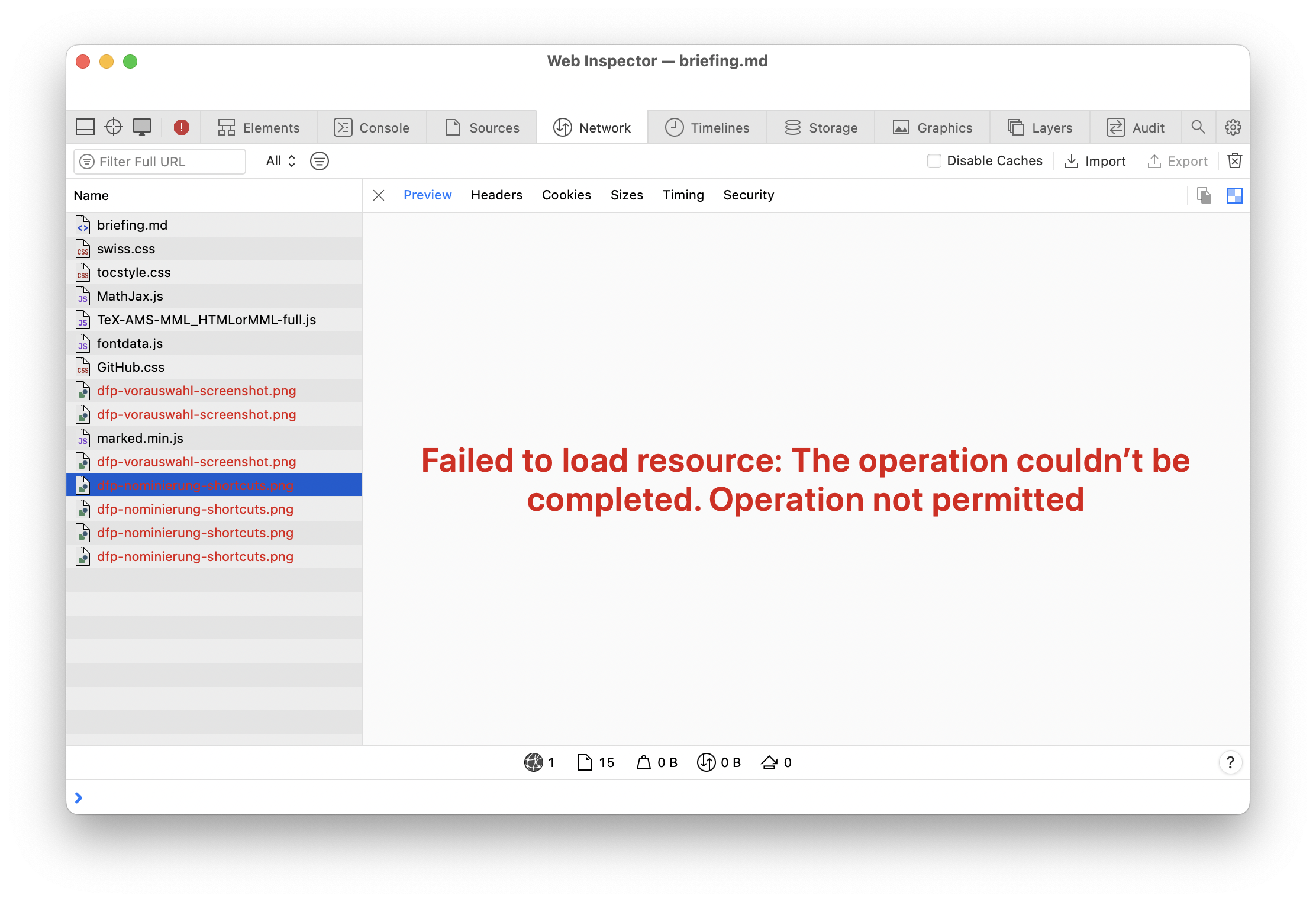
image.png

The PNG file is in the same folder as the markdown file, and Marked has full disk access in macOS privacy settings. Any idea how to fix this?

Thanks!

—Mattia

2 Answers

Hey Brett, no, I'm using a VPP license purchased through ABM and the app is installed through our MDM via the Mac App Store. I was able to fix the problem by disabling full disk access for Marked 2 in the macOS settings, reopening the app, and allowing access just to the folder containing all the files. It's weird because I had already tried that, but after the second attempt the images are now loading.

All good now!

So you're using the Paddle version, then? There shouldn't be any sandboxing issues with that version, so I'm going to skip debugging that. What happens if you create a new document in the same folder and just include one image?

Please share a zip of the above, with just the Markdown file and the PNG image.