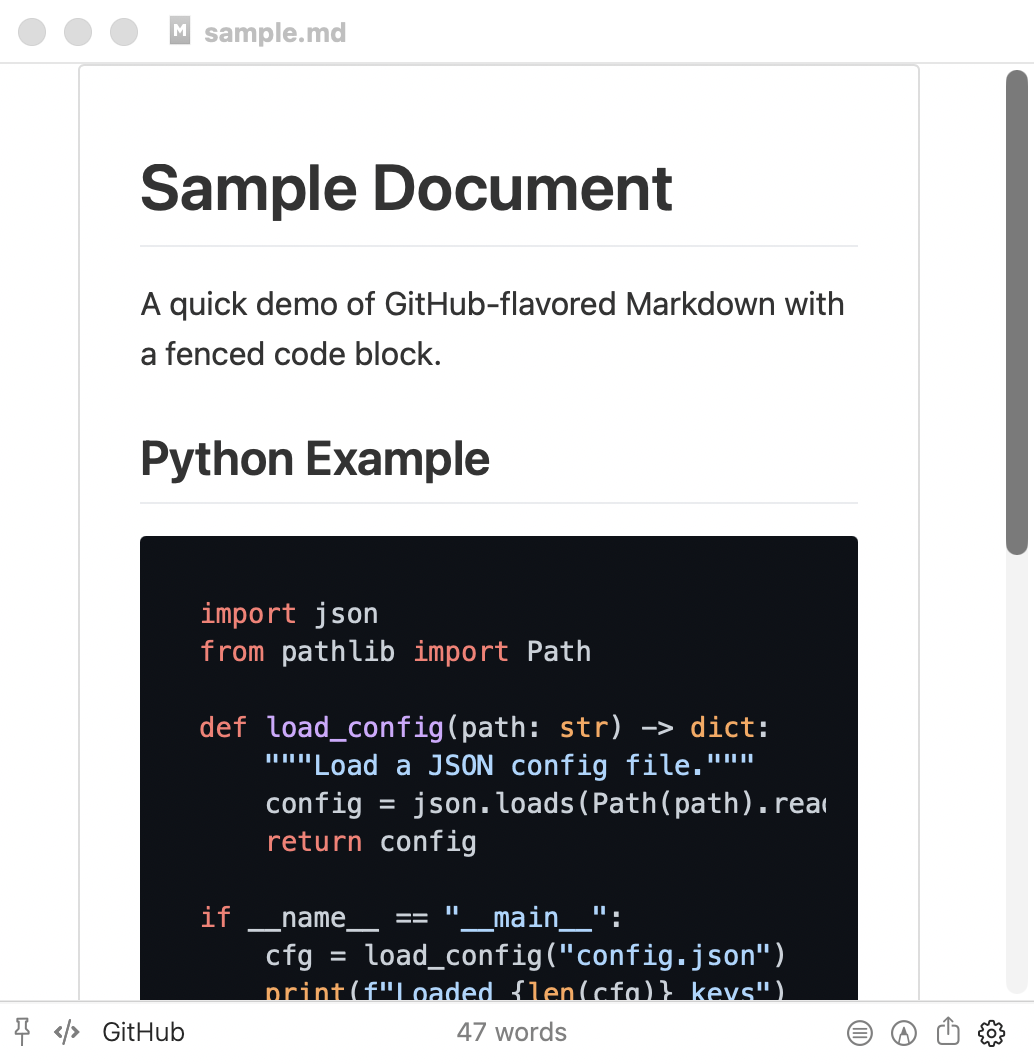
Dark mode in Marked 3's preview does not appropriately show dark code syntax themes (under Settings -> Style -> Math and Code). I've included screenshots below showing (in order):
- Dark mode, github code syntax theme
- Dark mode, github-dark code syntax theme
- Light mode, github code syntax theme
- Light mode, github-dark code syntax theme
As can be seen in Light mode, github and github-dark code syntax themes respectively show a light and dark background. In Dark mode, though, github and github-dark both have a white background. The github-dark theme text colors are appropriately lighter, and so even harder to see against the white background.
This holds true on all dark code syntax themes.
Dark mode, github code syntax theme
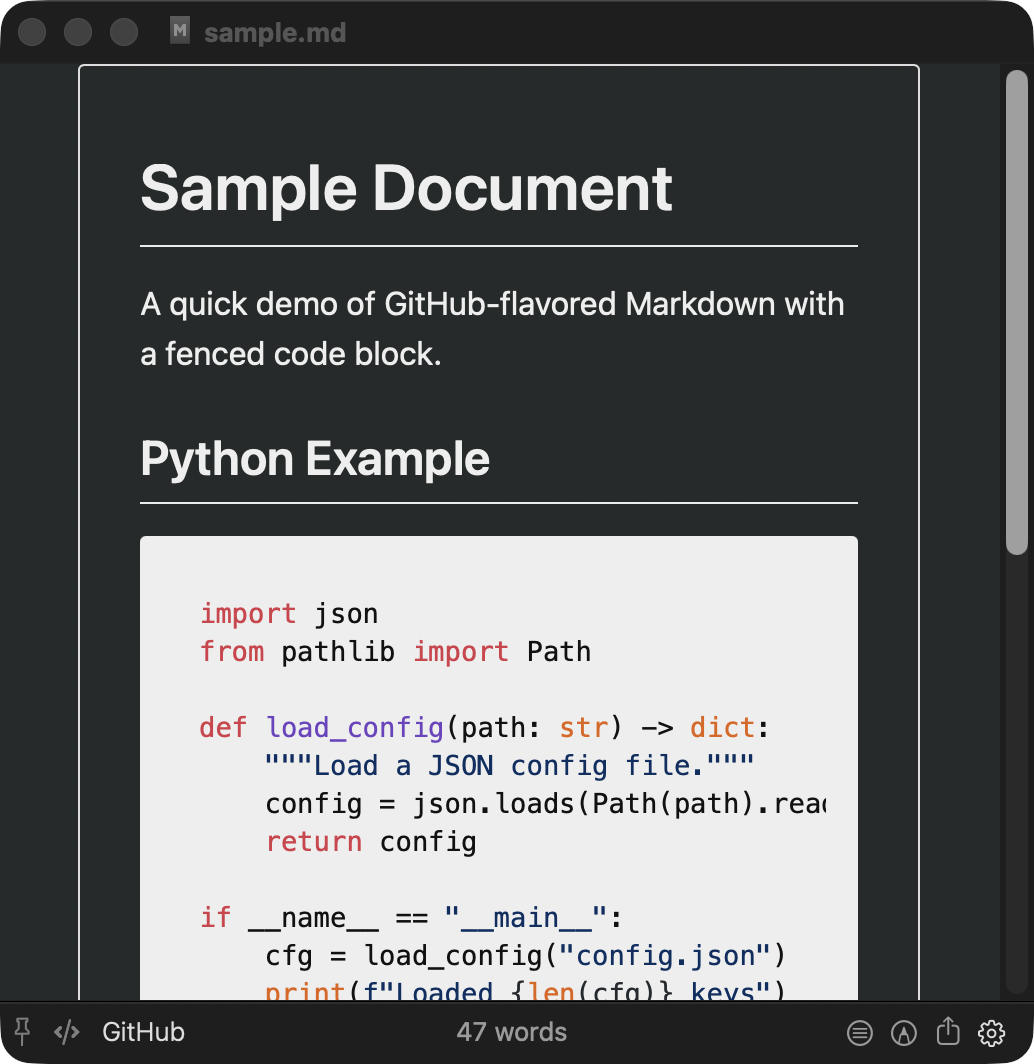
Dark mode, github-dark code syntax theme
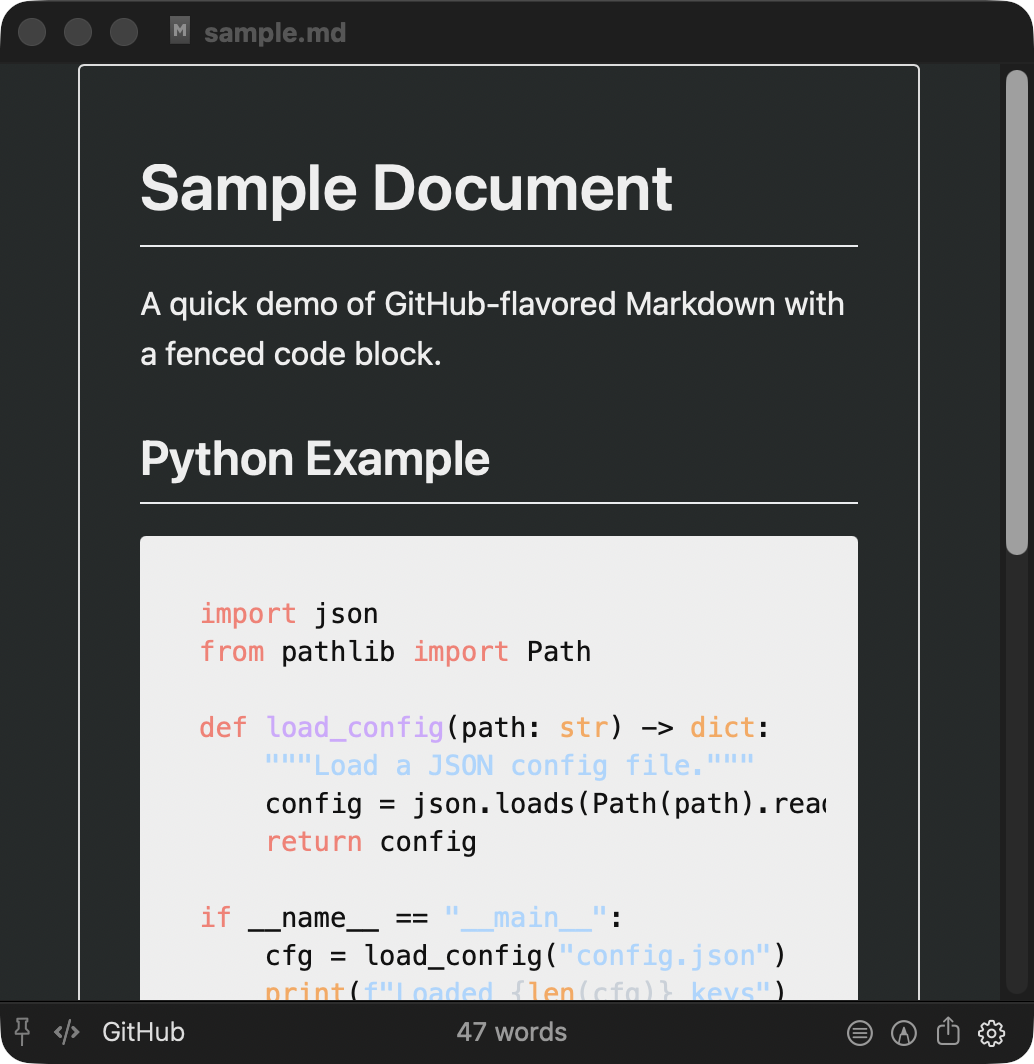
Light mode, github code syntax theme
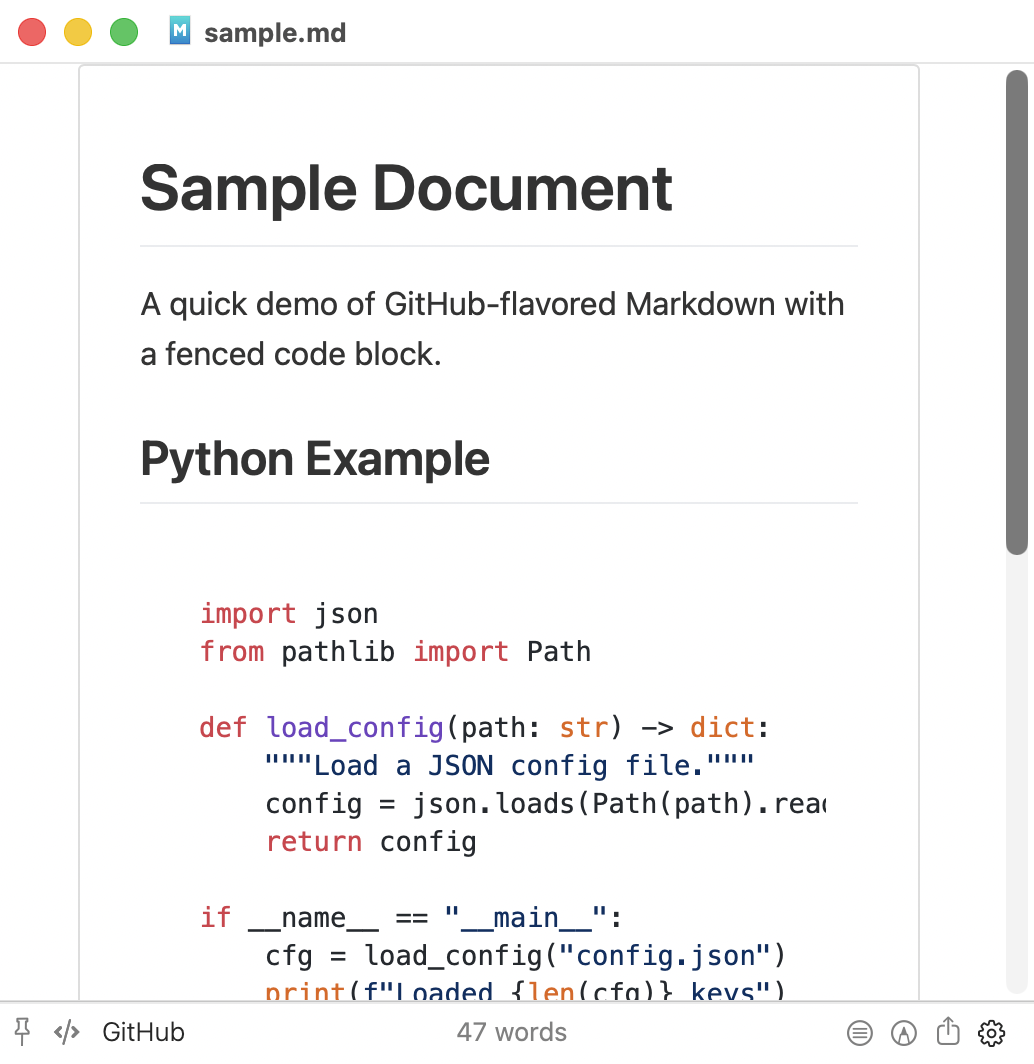
Light mode, github-dark code syntax theme