
I'm trying to get the new Marked app to use pandoc as my processor. I'm running the MAS version, and I went into the app's Package Contents to add pandoc at /Applications/Marked.app/Contents/Resources/bin/pandoc. Coming from Marked 2, I'm confused about how to configure the custom rule for this to work properly. I've tried to find an example in the documentation or elsewhere online that shows the whole setup, but I haven't found anything so comprehensive.
Here's a peak at my Custom Processor Rules:
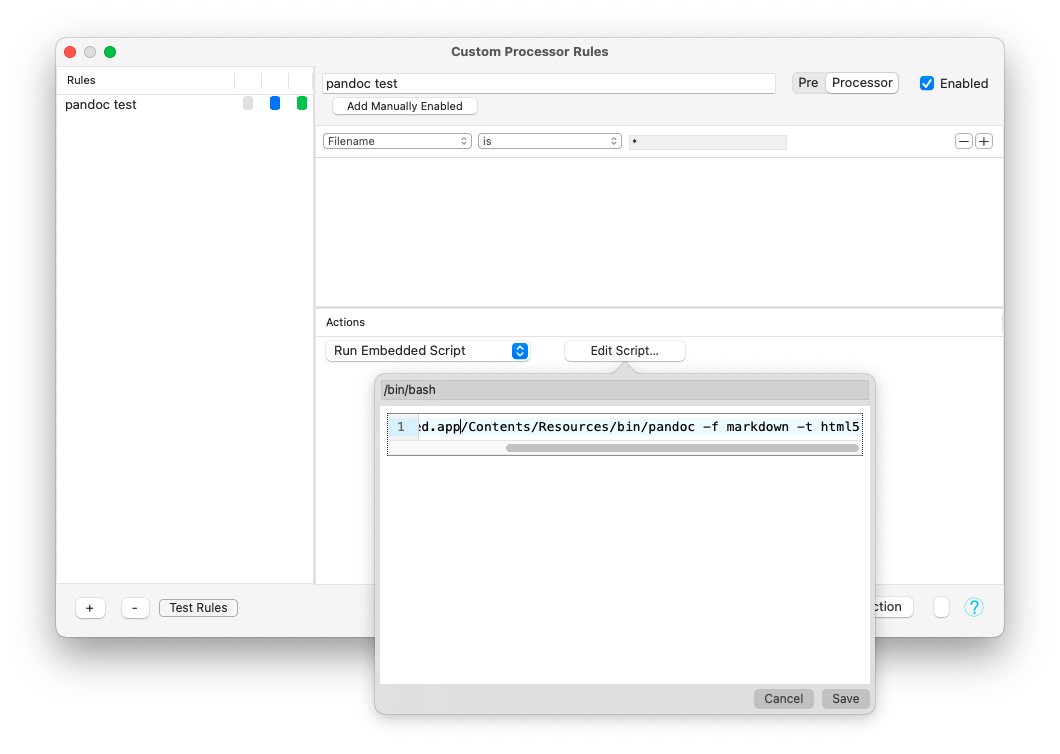
The contents of my Run Embedded Script action reads:
/Applications/Marked.app/Contents/Resources/bin/pandoc -f markdown -t html5
When I refresh the settings, I get this error message popup:
Embedded Script Error
dyld[38845]: Library not loaded: /opt/homebrew/opt/gmp/lib/libgmp.10.dylib
Referenced from: /Applications/Marked.app/Contents/Resources/bin/pandoc
Reason: tried: '/opt/homebrew/opt/gmp/lib/libgmp.10.dylib' (file system sandbox blocked open()), '/System/Volumes/Preboot/Cryptexes/OS/opt/homebrew/opt/gmp/lib/libgmp.10.dylib' (no such file), '/opt/homebrew/opt/gmp/lib/libgmp.10.dylib' (file system sandbox blocked open()), '/usr/local/lib/libgmp.10.dylib' (no such file), '/usr/lib/libgmp.10.dylib' (no such file, not in dyld cache)
/var/folders/wp/dvglkfz55lz6s0mbhtgz12180000gn/T/com.brettterpstra.marked/B19649F8-91F1-480F-BAA9-0145F244B444.sh: line 1: 38845 Abort trap: 6 /Applications/Marked.app/Contents/Resources/bin/pandoc -f markdown -t html5
I've made sure to enable Full Disk Access in my System Settings.
Pandoc otherwise works normally when I run it from the command line. It's only giving me trouble when I try to use it as my processor in Marked.
Any clue as to what I might need to change to get this working? Thanks.
