
Love this tool (I also have the other ones), but this one is really useful in the Dark Mode world.
However, sometimes you just need to see documentation in Light mode, and Marked 2 works really well as a Quick View extension for me.
I've spotted what might be an edge case that is the presentation of Bold text specifically in Quick Preview. It's got a black background (as in Dark mode).
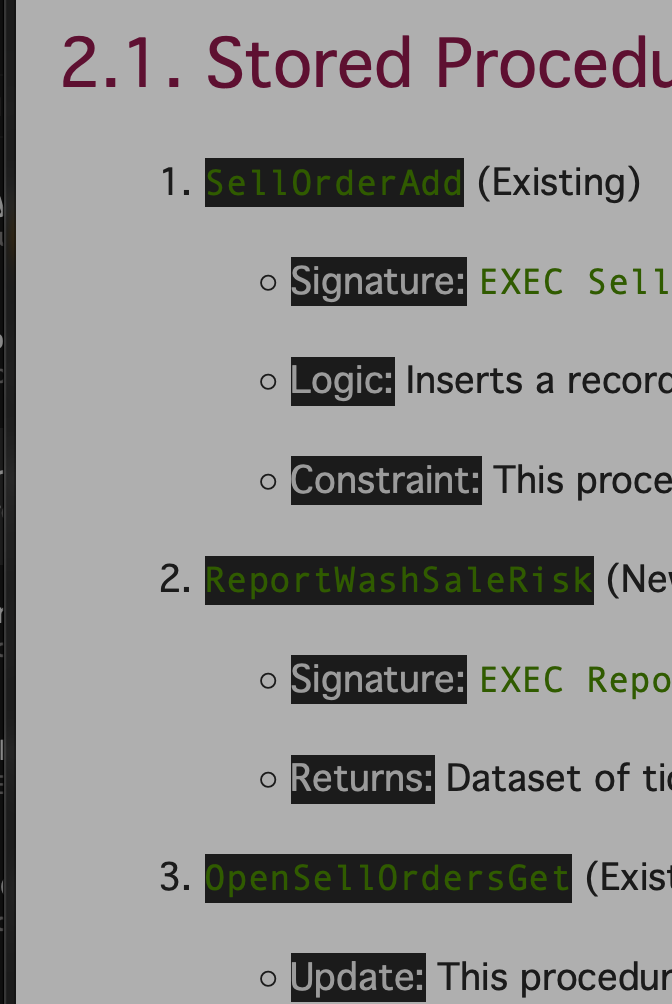
It would be great to have a setting to change how this is presented (or just have a light background as default).
NB: The App works fine if I load the MD file; this is specifically in the Quick Preview.
Thanks!
